
Your health data.
On your terms.
Apple Health holds years of your life. SyncFit puts it in your hands: pick the metrics, pick the destination, automate it, and see the whole picture on your Mac. Nothing passes through our servers. Ever.
SyncFit is on the App Store
Choose your device. One Pro purchase works on iPhone and Mac.
You generated the data. You should own it.
Fitness apps lock your history behind their subscriptions. Apple Health keeps it on one phone. SyncFit moves it, in open formats, to places you control. Cancel nothing, because there is nothing to cancel.
No servers in the path
Exports go from your iPhone straight to your destination. We never see a heartbeat.
Open formats
CSV and documented JSON. If SyncFit disappeared tomorrow your data would still open everywhere.
Pay once
One purchase unlocks iPhone and Mac. No renewals, no upsell, no premium tier hiding behind the premium tier.
Every metric. Zero compromises.
Full history once, then only what is new. Manual when you want it, automatic when you don't.
190+ metrics, your pick
Heart, sleep, workouts with routes, steps, energy, nutrition, body, mindfulness, symptoms. Choose exactly what leaves your phone. Nothing else does.
Clean CSV and JSON
One row per sample with unit, source, device and metadata. A documented JSON schema. Files any tool can open, from Excel to Postgres to Python.
Automations that keep going
Daily, weekly, monthly, every few hours, on new data or right after a workout. Incremental runs send only what is new, so nothing is exported twice.
Your API, your database
POST straight to your own endpoint with a bearer token, or write rows into PostgreSQL and SQL Server. SyncFit creates the schema for you.
iCloud, files and cloud storage
Save into your iCloud Drive or any Files folder. Email a report to yourself. Upload straight to Google Drive. Put workouts and sleep on your Calendar. Dropbox coming soon.
The big picture on your Mac
Dashboards, period comparisons, notes and tags, and high quality PDF and HTML reports. Included with Pro.
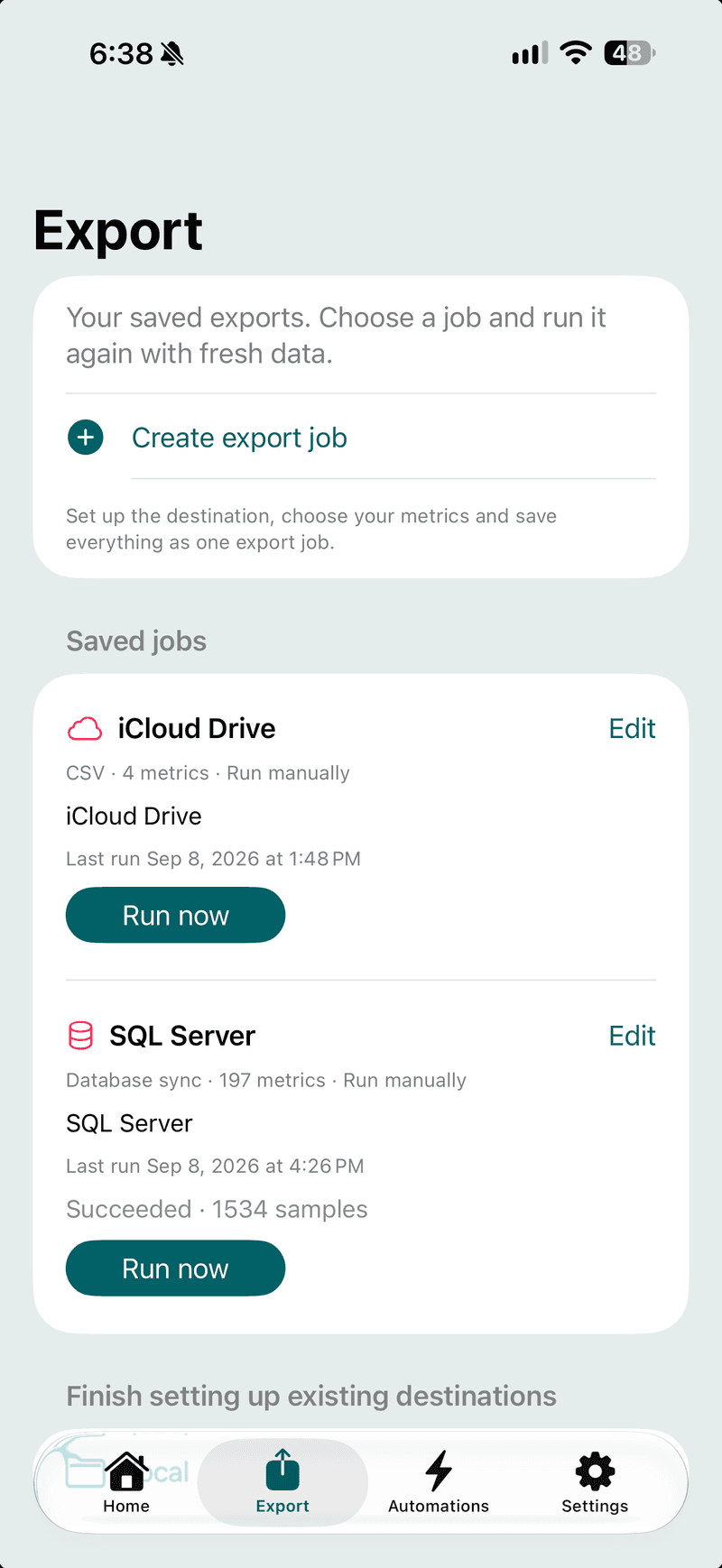
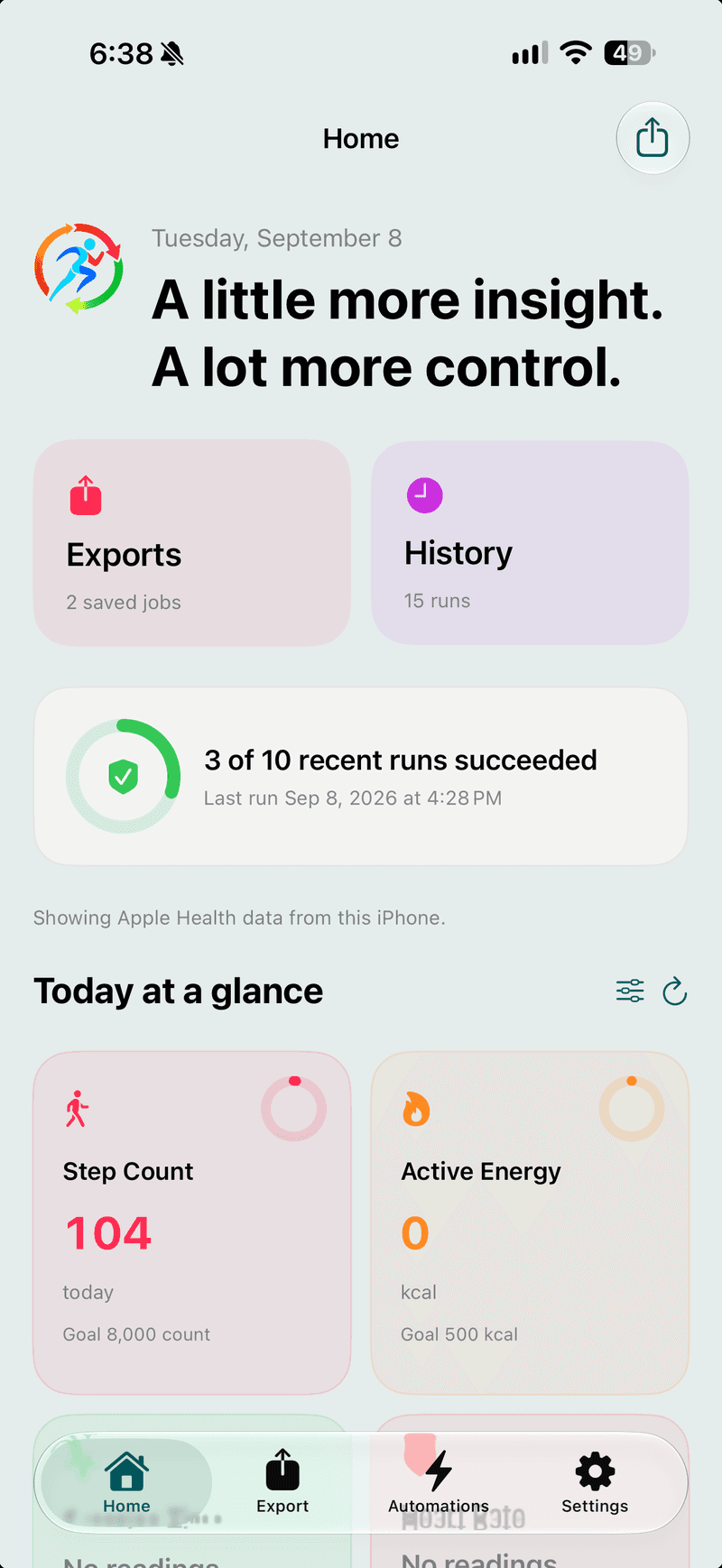
Save a job once. Run it whenever, or let it run itself.
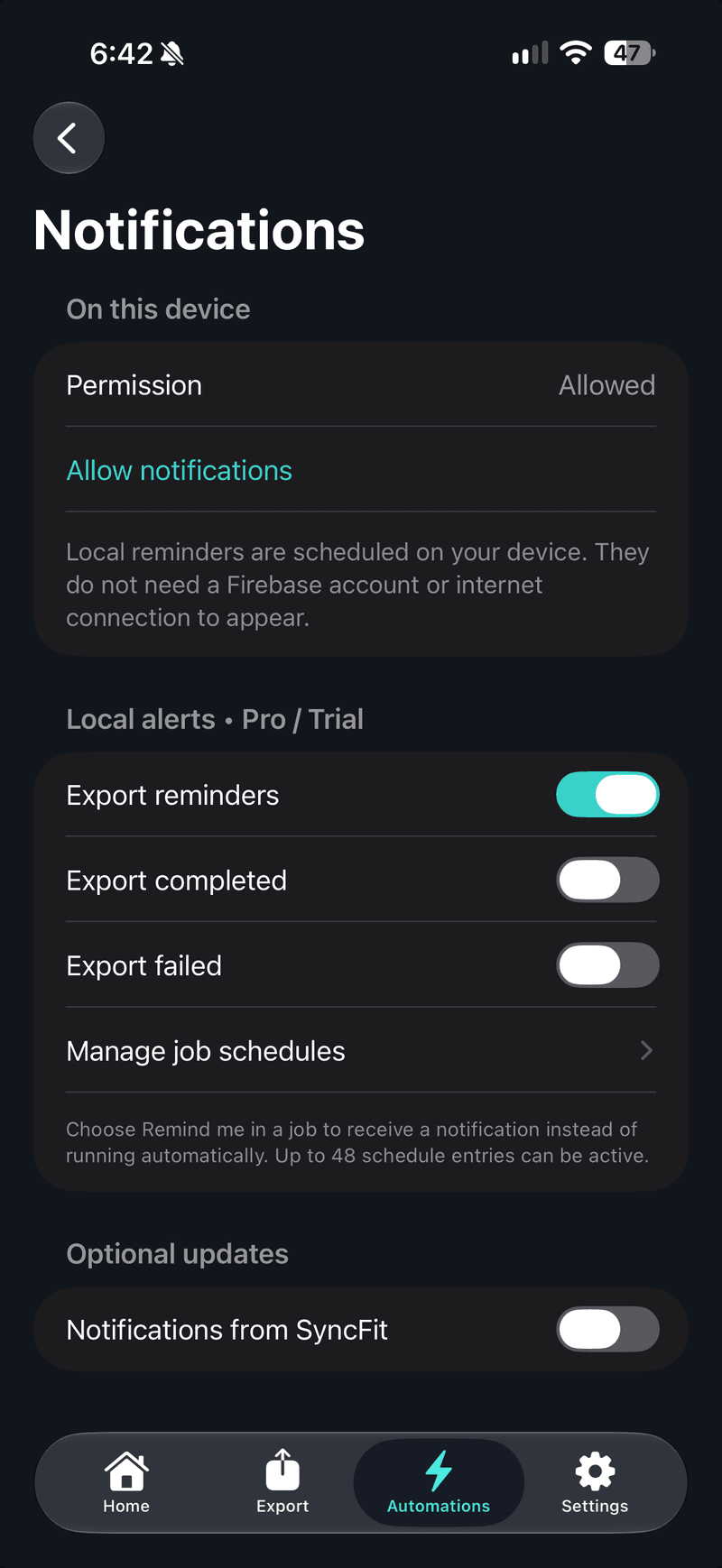
Each job remembers its destination, format, metrics and a rolling date range. Run it by hand, schedule it, trigger it on new data or a workout, or ask for a reminder. History records every run with its result.
Send it anywhere.
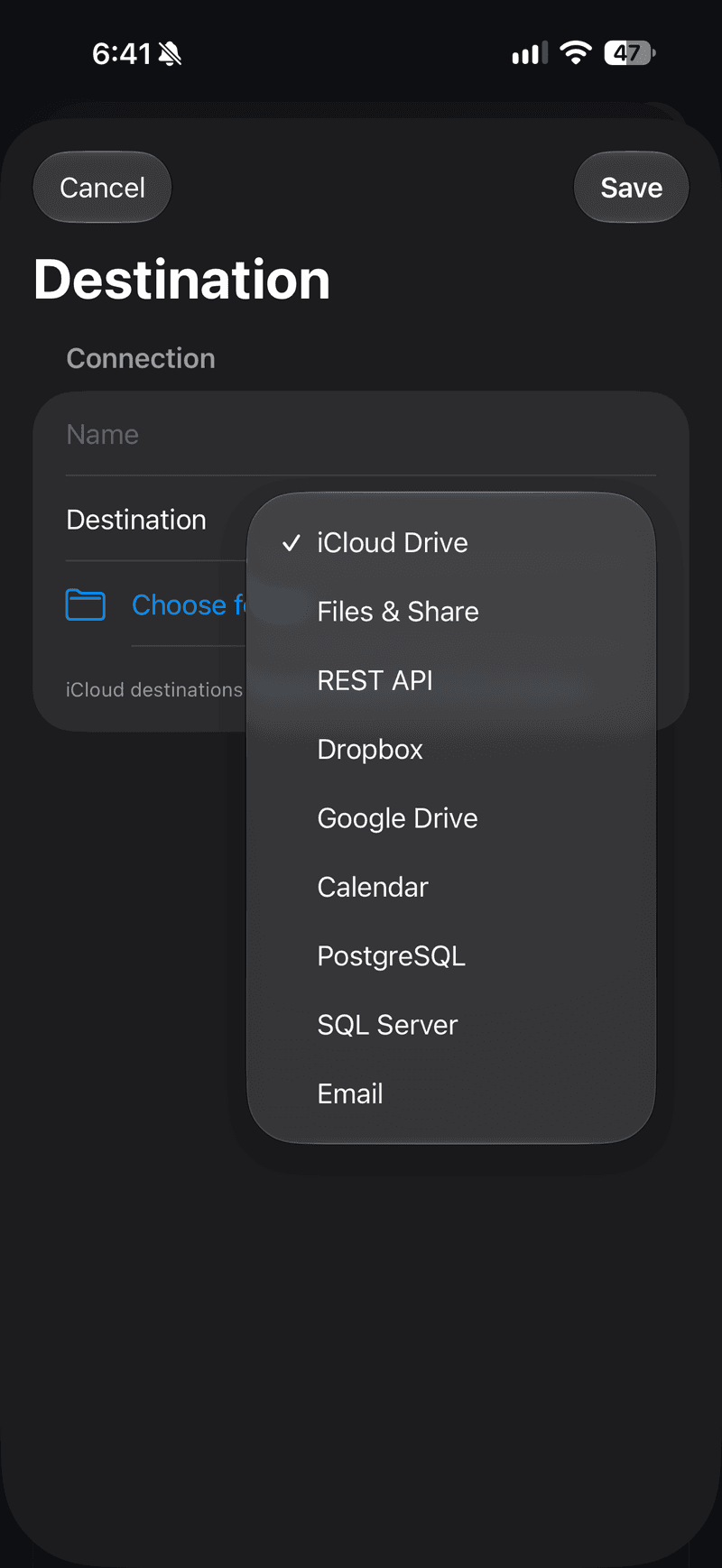
Deliver clean CSV or JSON to the places you already use: your own API, your database, your drive or plain files. A format every tool understands.
POST or PUT the export body to your endpoint. Bearer token, custom headers, retries with backoff.
PostgreSQL and SQL Server. Structured rows, incremental upserts, schema created for you.
A SyncFit folder in your own iCloud. Included free for CSV.
Any folder the Files app can reach, including other cloud providers.
Sign in with Google and exports land in a SyncFit folder in your My Drive. SyncFit can only see the files it creates.
Coming soon. Until then, use Local files with Dropbox’s Files integration.
Mail a file to yourself or a coach. Put workouts and sleep on a calendar.
Send a dataset through your iCloud and explore it in SyncFit for Mac.
Provider availability can vary by release. The API documentation covers the REST contract, JSON schema and CSV columns in full.
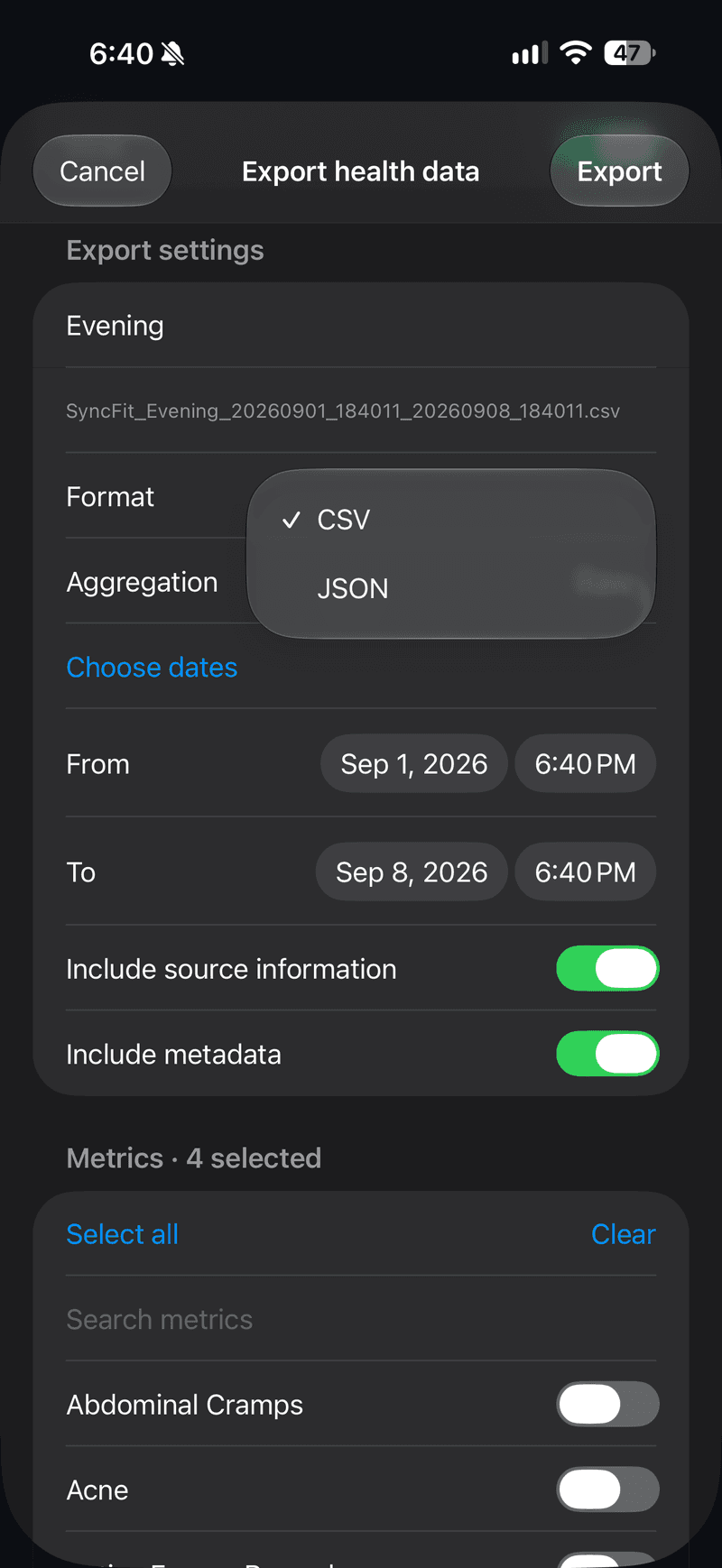
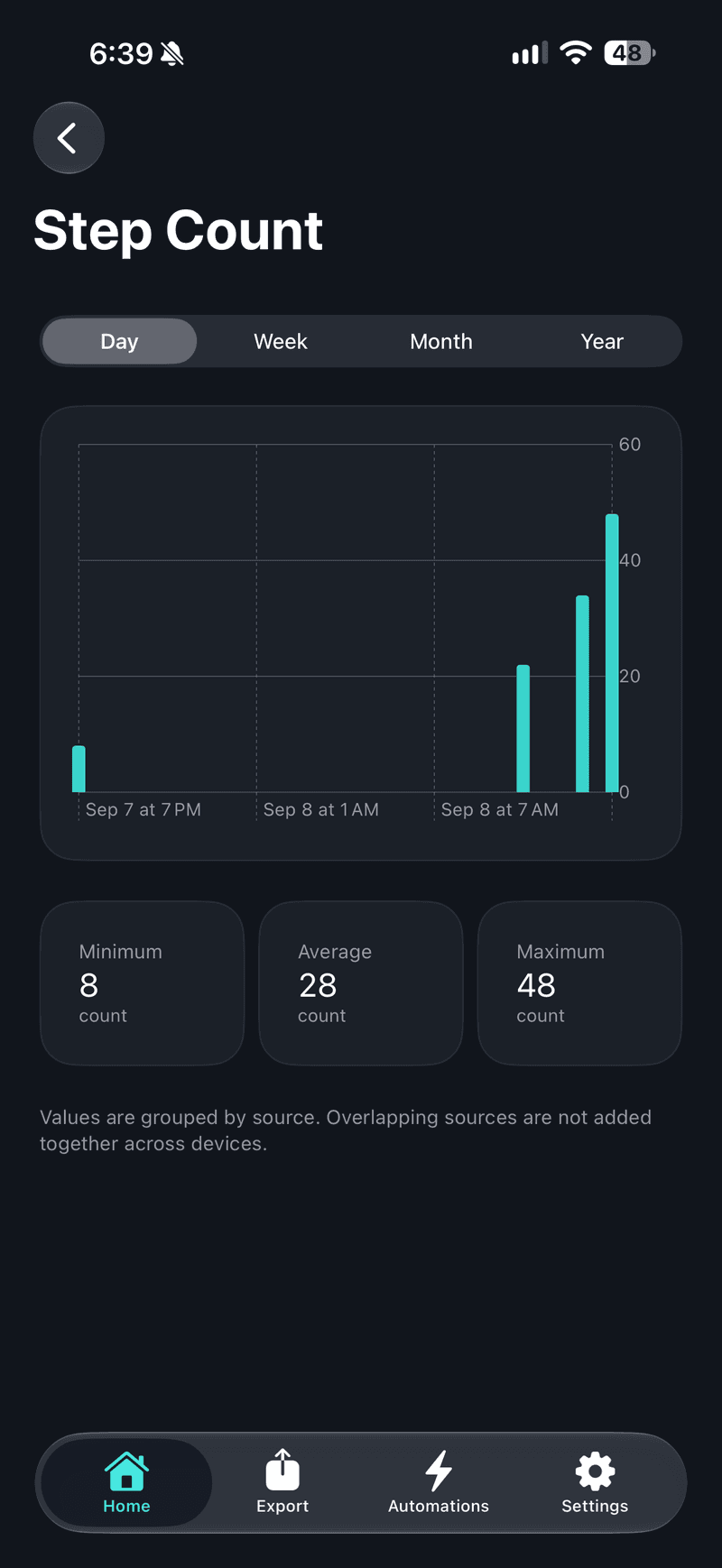
On iPhone you see Apple Health. On Mac you see everything.
iCloud exports, your databases and other sources side by side. Dashboards, period comparisons, notes and tags, and reports you would actually hand to someone.
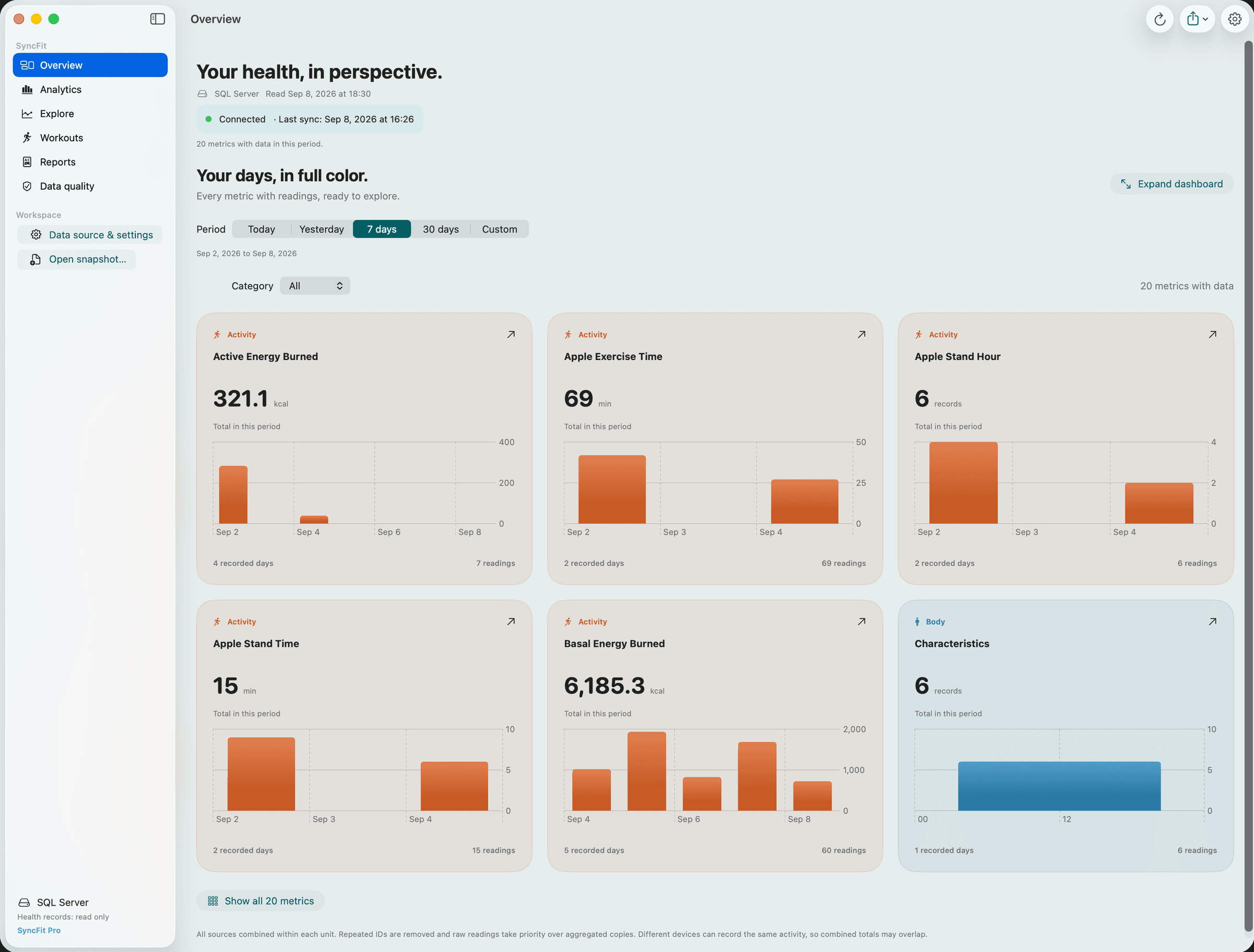
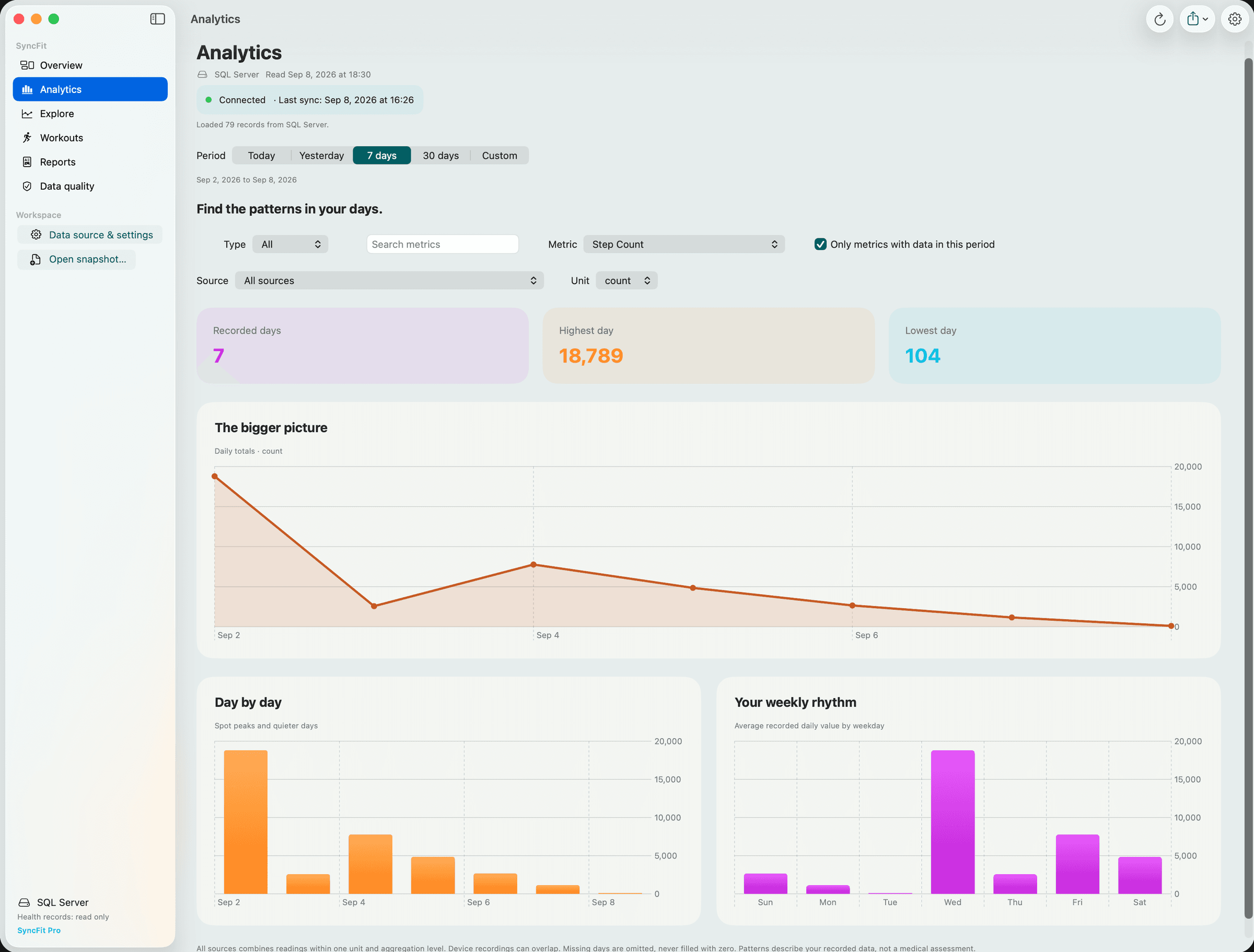
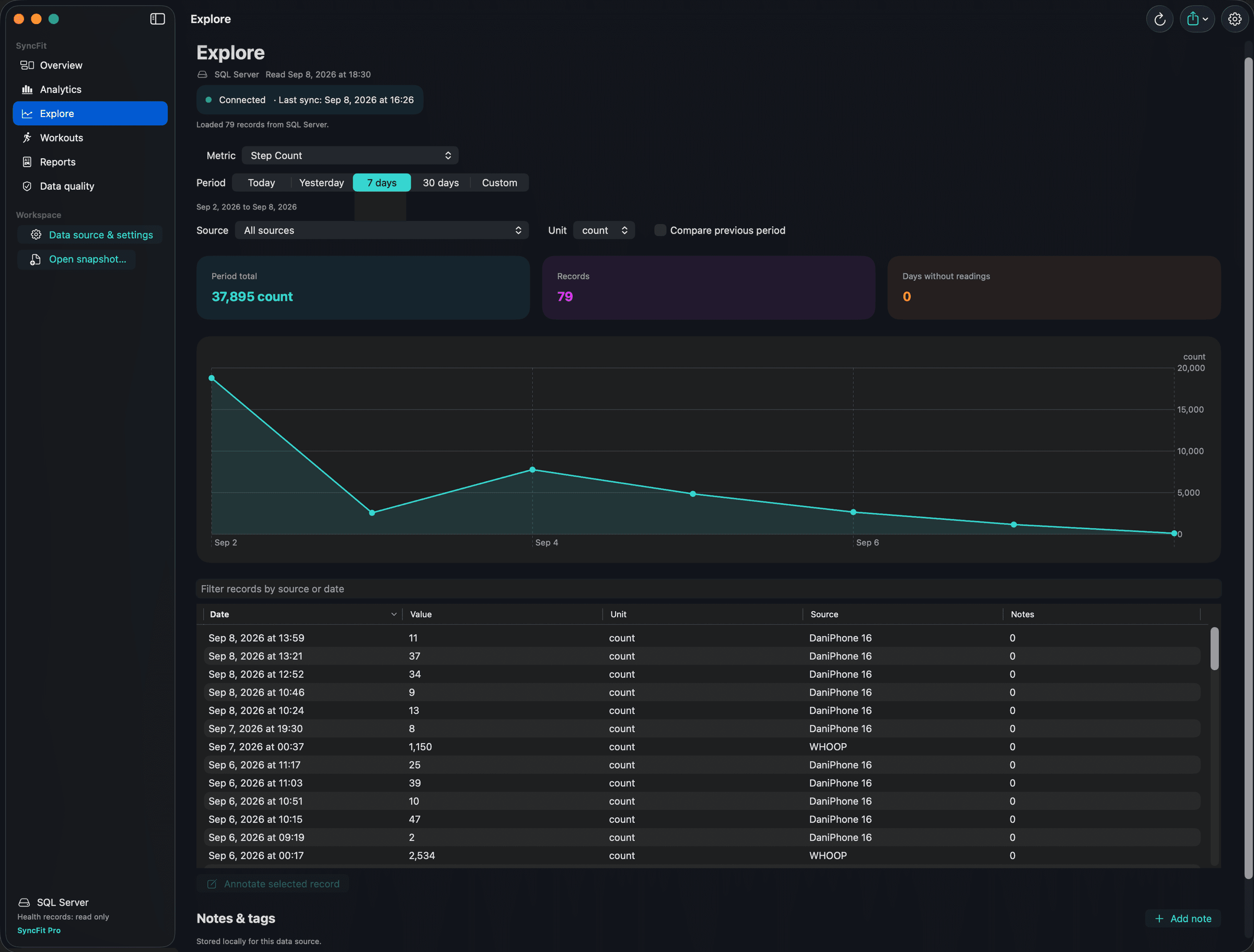
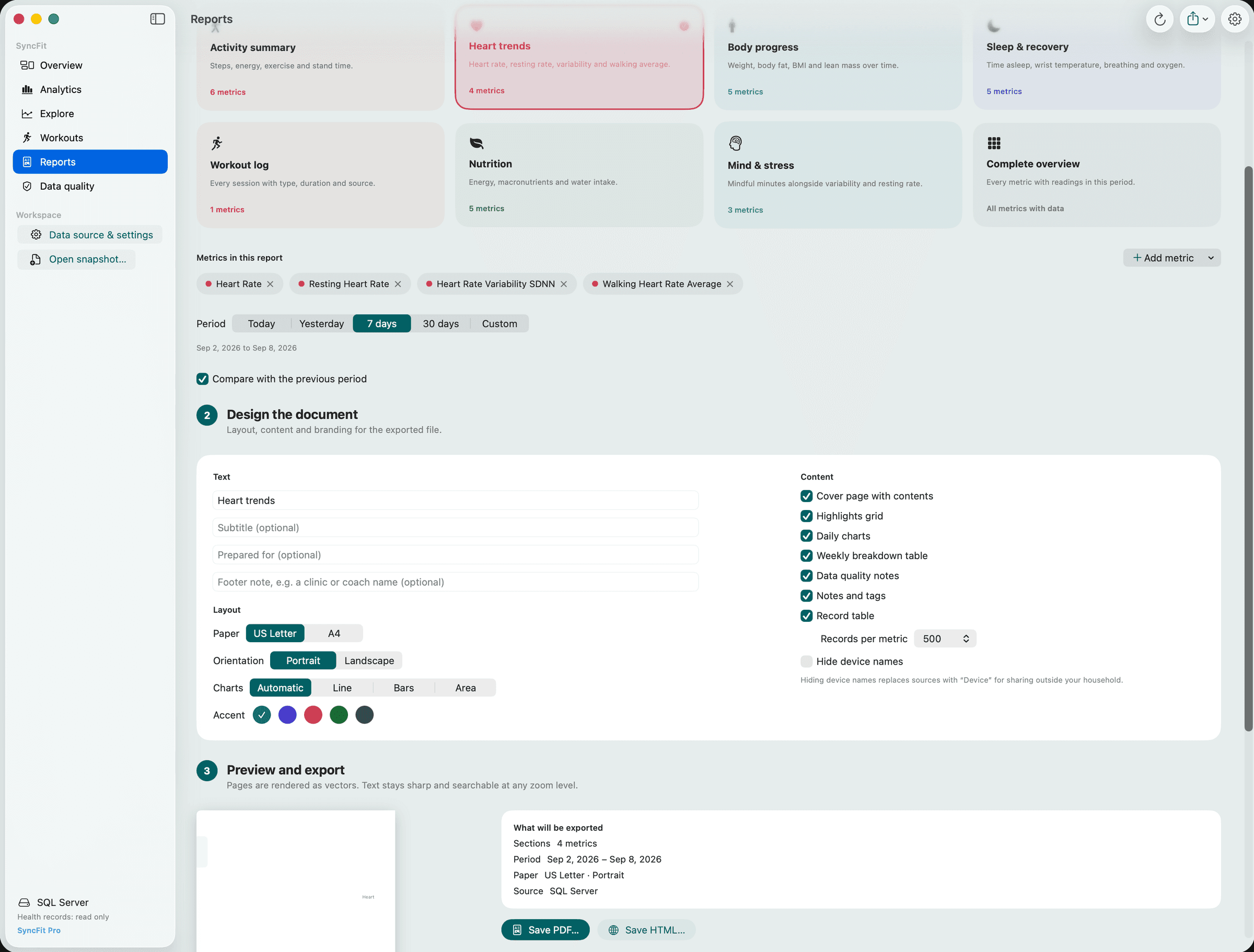
Every metric with readings in the period, one colour-coded panel each. Expand to a full dashboard.
Dashboards and trends
Every metric with readings, daily charts, period over period, data quality checks.
Notes and tags
Annotate any reading or period. Keep them local or share them through your database.
PDF and HTML reports
Vector PDF with cover, highlights, charts and weekly tables. Self-contained HTML with sortable tables and dark mode.
One price. Once.
Start free with CSV exports. Try everything for three days. Then a single purchase unlocks SyncFit on iPhone and Mac, for good.
Your data out of Apple Health and into a spreadsheet. No account needed.
- ✓Today dashboard with your key metrics
- ✓Manual CSV export to iCloud Drive or Files
- ✓Saved manual export jobs
- ✓Local storage management
- ✓3-day trial of every Pro feature
Pay once. Own it on iPhone and Mac forever. No subscription, no renewal, no upsell inside the app.
- ✓Every export format: CSV, JSON, GPX
- ✓Google Drive, REST API, databases, email, Calendar (Dropbox coming soon)
- ✓Automations: schedules, new-data and workout triggers
- ✓Shortcuts and Siri intents
- ✓Reminders and completion alerts
- ✓Today customisation and historical charts
- ✓SyncFit for Mac: dashboards, notes, PDF and HTML reports
Purchases are handled by Apple.
Answers before you need to ask.
The most common questions. The full FAQ and how-to guides cover the rest.
How much does SyncFit cost?+
Free includes CSV exports to iCloud Drive or Files, the Today dashboard and saved manual jobs. SyncFit Pro is a one-time purchase that unlocks everything on iPhone and Mac. The price is shown in the app in your local currency. There is no subscription.
Where does my health data go?+
Only where you send it. Exports are created on your iPhone and delivered directly to the destination you configured. SyncFit has no server that receives your health data, and nothing is uploaded to us.
Do I need the Mac app?+
No. The iPhone app exports on its own. The Mac app adds dashboards, period comparisons, notes and tags, and PDF and HTML reports. It is included in the Pro purchase.
Which destinations are supported?+
iCloud Drive, Files (any folder on your iPhone or connected cloud), Google Drive, REST API, PostgreSQL, SQL Server, email and Calendar. Google Drive connects with your own Google sign-in and saves to a SyncFit folder in My Drive; SyncFit can only see the files it creates there. A Dropbox destination is coming soon; until then, save to a Dropbox folder through the Files destination if the Dropbox app is installed.
How do scheduled exports work?+
Create a job, then choose Run automatically and a trigger: every few hours, daily, weekly, monthly, when new data arrives, or after a workout. iOS grants background time when it decides, so the exact minute is not guaranteed. Opening the app always catches up.
Is there a free trial?+
Yes. Every new install gets three days of Pro features on iPhone so you can try automations, destinations and formats. The Mac app requires the purchase.
Why does the Mac app ask me to unlock Pro?+
SyncFit for Mac is part of Pro. It is unlocked by the same one-time purchase as the iPhone app. Buy on either device, then sign in with the same account or restore purchases on the other.
Is there analytics or tracking?+
SyncFit does not include advertising SDKs or third-party analytics. Crash reports go through Apple only if you have opted into sharing them with developers.
Free your data.
Download SyncFit, connect Apple Health, and make your first export in under a minute. Free for CSV, one purchase for everything.